At a car dealership, the phone is often the first contact with a buyer, and every missed or misrouted call can mean a lost sale. Dealers may have to choose between the telephony built into their CRM and the features of a business phone system.
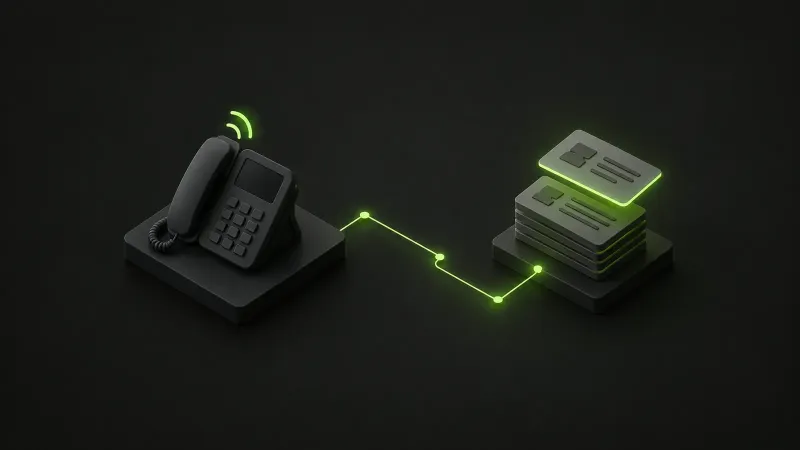
Our Activix integration for 3CX connects these two tools. We designed this hosted connector and handle its operation. You keep your 3CX numbers and trunks. Calls and texts are linked to leads in Activix, with assignment rules that account for the salesperson responsible and the way your teams are organized.
Follow-up for each team
A dealership isn’t one team; it is several: new and used sales, service, BDC and F&I. Each has its own numbers, queues and ways of working. Our connector is built around that reality:
- your salespeople see who is calling before they pick up, and their customers’ calls come to them first;
- your managers get a complete, reliable call log in Activix without any double entry;
- your marketing team keeps accurate source attribution, campaign by campaign;
- dealer groups can run several Activix accounts through a single connector.
How the connector works
Identifying the lead while the phone rings
While the phone is ringing, the connector looks up the lead by phone number and displays the record. The number that was dialled selects the account and division (new, used or service), and a new lead can be created while the phone rings if you want.
Routing calls to the assigned salesperson
Calls go first to the lead’s salesperson, then to the assigned BDC agent, and finally to a fallback queue set for each number. Leads that have gone untouched for longer than the period you set skip straight to the fallback queue. Routing can be switched off number by number.
Logging calls and AI analysis
Every call is logged as an Activix communication with its duration, agent and outcome (answered, missed or voicemail). The recording is uploaded alongside the summary, sentiment and transcript generated by 3CX’s AI. The connector also rebuilds the full call path, from the auto attendant through queues and transfers: unanswered calls still get logged, and a BDC agent who answered and then transferred the call gets proper credit.
Assigning roles on the lead record
Salesperson, BDC agent, F&I, service advisor and secondary salesperson are assigned based on the agent’s 3CX department or a role set per agent. Existing assignments are respected by default, and this can be changed per rule. Default users, set per account, division or department, cover calls with no identified agent.
Keeping the source and text history
Lead source is set by the number dialled, with a first-touch source lock that protects your campaign attribution. Texts and chats are logged when the conversation closes, and a webhook accepts messages from third-party texting tools, without duplicates.
Click2Call in beta and live call tracking
Click2Call, available in beta, starts a 3CX call straight from Activix with the lead already attached, and a temporary outbound caller ID can be used, with the original restored after the call. Live call tracking keeps the lead attached to the call through the IVR, queues and transfers: agents who receive a transfer see the lead, and the Activix record can open on answer.
Putting the connector into service
The connector is managed from a bilingual admin panel, and our team walks you through every step:
- We connect your Activix account or accounts with an API key, then connect your 3CX system.
- A single click installs the CRM template, its parameters and a call script per trunk in 3CX.
- We set up the mappings: numbers to accounts and divisions, queues and departments to lead rules, sources, roles and default users. Auto-mapping and CSV import speed things up.
- Call journaling is enabled in 3CX, and go-live takes just seconds.
- We review the first calls together in the communications log, which shows each call path and every decision made along the way.
As for requirements, you need 3CX V20 Pro or AI and an Activix API key. Some features need additional access, which we review with you before turning them on. As with all our hosted connectors, hosting, monitoring, backups, updates and maintenance are included.
The Activix record brings phone conversations and texts together. Your teams can review exchanges with the lead, keep the assigned salesperson and check the source of the first contact for campaign attribution.
Get all the details on the Activix integration for 3CX page, or contact us to book a demo with your team.